
Real Estate (CRM) — Business Visibility Dashboard Suite
Real Estate
Power BI Developer
Power BI Desktop, Power BI Service, Power Query (M), DAX, Figma
Dataverse (CRM)
🖼️ Project Gallery
30-Second Pitch
“The CRM data was technically there but nobody trusted it. I cleaned it at the source with Power Query, then built role-secured dashboards so a regional manager and a director both open the same suite and see exactly what they're supposed to.”
The Situation
Two real estate teams had CRM data sitting in Dataverse, but sales and operations leadership didn't trust it. Numbers shifted between reports, and nobody could say with confidence which version was correct.
The Challenge
The root cause wasn't a visualisation problem — it was a data-quality problem upstream in the CRM. Any dashboard built on top of dirty data would just be a better-looking version of the same wrong numbers, so the real challenge was fixing trust in the data itself before presenting it.
My Approach
I treated this as an ETL-first project rather than a visuals-first one — clean the data at the source, then build the dashboards on top of something solid.
Profiled the raw Dataverse CRM data to identify exactly where and why numbers were breaking, then built a full Power Query layer to clean and reshape it before it ever reached a report.
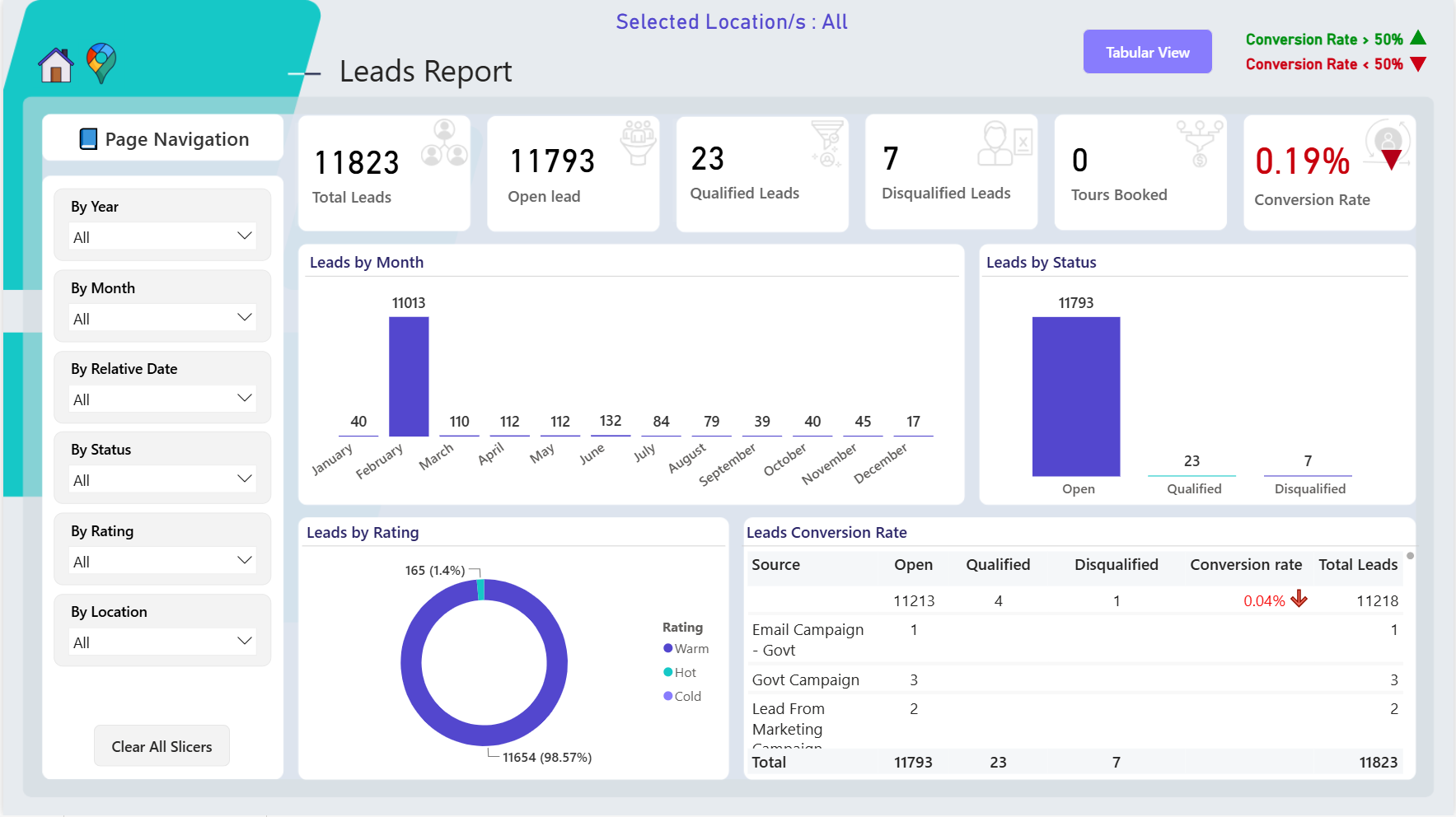
Built dashboards tracking pipeline health, property performance, and team productivity — informed by, not fighting against, the underlying data.
Set up scheduled refresh in Power BI Service so the dashboards stayed current automatically, removing manual update effort entirely.
Applied Row-Level Security so regional managers see only their own market's data while directors retain full cross-region visibility — one suite, correctly scoped per audience.
Result & Impact
Eliminated the specific, recurring reporting errors that were being inherited from upstream CRM data quality issues.
Restored leadership's trust in the numbers — the dashboards became the reference point instead of one of several conflicting reports.
Removed manual refresh effort through a fully scheduled Power BI Service pipeline.
Delivered correct, role-based visibility for both regional managers and directors from a single suite.